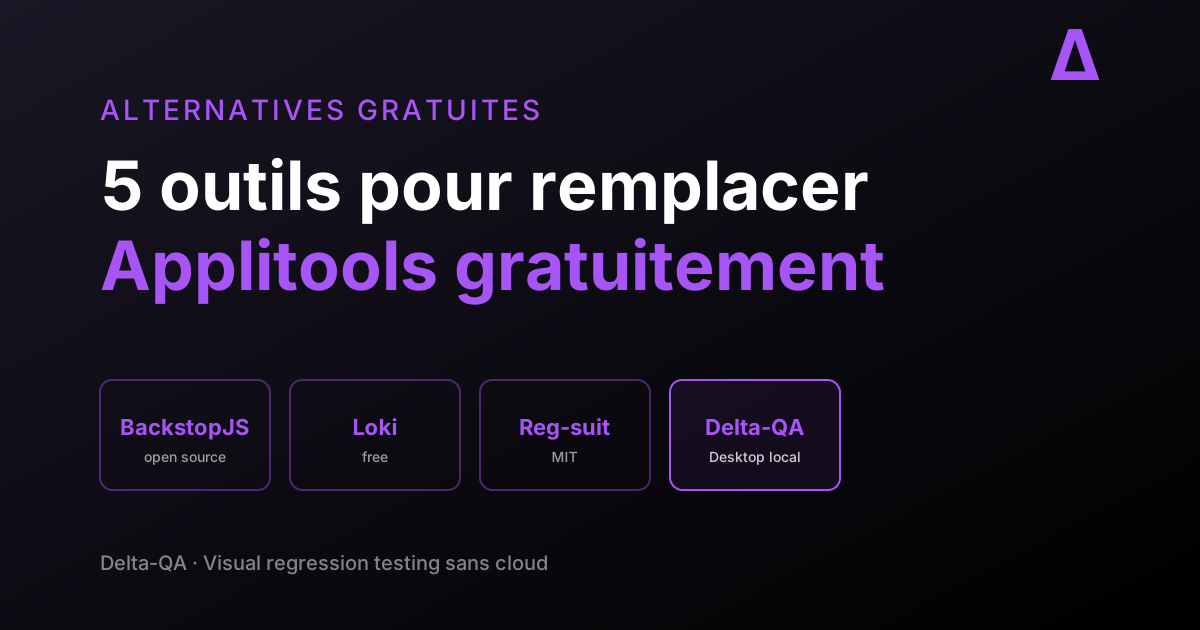
Applitools is a powerful visual testing tool, but its pricing model — based on Test Units with undisclosed rates — can climb to several tens of thousands of dollars per year for a mid-sized team. Whether you're looking for a free solution, an open source tool, or a more affordable SaaS, there are alternatives that cover every use case.
We tested 10 alternatives to Applitools, from open source frameworks to no-code platforms, with a comparison table to help you pick the right one.
Quick Comparison Table
| Tool | Type | Price | Open Source | CI/CD Integration | No-Code |
|---|---|---|---|---|---|
| Delta-QA | Desktop app | Free | No | Yes | Yes |
| BackstopJS | CLI framework | Free (MIT) | Yes | Yes | No |
| Playwright Screenshots | Browser framework | Free (Apache 2.0) | Yes | Yes | No |
| Percy | Cloud SaaS | Free (5K snapshots/mo) | Partial | Yes | No |
| Chromatic | Cloud SaaS | Free (Storybook) | No | Yes | No |
| LostPixel | Cloud SaaS | Free tier | Partial | Yes | No |
| Cypress | Test framework | Free (MIT) | Yes | Yes | No |
| LambdaTest | Cloud platform | Free tier | No | Yes | Partial |
| Katalon | Test platform | Free tier | No | Yes | Partial |
| Testsigma | Cloud platform | Free tier | No | Yes | Yes |
1. Delta-QA
What it is
Delta-QA is a visual testing solution designed for simplicity. Unlike the other tools in this list, Delta-QA is built for teams that want to start visual testing without technical skills.
What it does well
- No installation: no SDK, no Node.js, no technical configuration
- No technical skills required: no need to code or understand CI/CD pipelines
- Intuitive interface: starting a visual test takes just a few clicks
- No training required: no learning curve, no technical documentation to absorb
- Cross-browser: supports Chromium, Firefox, and WebKit rendering engines
Its limitations
- Newer solution: the integration ecosystem is growing steadily
- Different approach: Delta-QA prioritizes simplicity over deep technical customization
When to use it
Delta-QA is the ideal solution if you want to start visual testing without investing time, training, or technical skills. It's the tool for teams that want immediate results.
2. BackstopJS
What it is
BackstopJS is an open source visual regression testing tool that runs from the command line. It captures screenshots of your application and compares them pixel by pixel to detect differences.
What it does well
- Completely free: open source project under the MIT license
- Automation-friendly: integrates easily into CI/CD pipelines
- Flexible configuration: lets you define precise test scenarios with CSS selectors
- Cross-browser: uses Puppeteer or Chromium under the hood
- Report generation: produces visual reports with differences highlighted
Configuration example
Here's a BackstopJS configuration example for testing a home page:
{
  "id": "my_site",
  "viewports": [
    { "label": "desktop", "width": 1280, "height": 720 },
    { "label": "mobile", "width": 375, "height": 667 }
  ],
  "scenarios": [
    {
      "label": "Home page",
      "url": "https://mysite.com",
      "referenceUrl": "https://mysite.com",
      "selectors": ["header", "main", "footer"],
      "delay": 500
    }
  ]
}
This configuration captures the header, main content, and footer on both desktop and mobile. The delay option waits 500 ms before capture, useful for pages with animations or asynchronous loading.
Real-world use cases
- Validation after a CSS refactor: after updating your CSS framework (Tailwind, Bootstrap), run BackstopJS to verify that the layout hasn't changed unexpectedly.
- Responsive design testing: thanks to configurable viewports, you can verify that your site displays correctly across all screen sizes.
- Continuous monitoring: integrated with a cron job or webhook, BackstopJS can monitor your production site and alert you if a visual change is detected.
Its limitations
- Technical: requires JavaScript and command-line skills
- Installation required: you need to install Node.js and set up the environment
- Maintenance: test scenarios must be updated manually as the site evolves
- No AI: the comparison is purely pixel-by-pixel, which generates false positives
When to use it
BackstopJS fits development teams with technical skills who want a free, customizable solution with full control over the configuration.
3. Playwright Screenshots
What it is
Playwright, Microsoft's browser automation framework, offers native screenshot capture and visual comparison features. It's an integrated solution with no extra tools to install.
What it does well
- Already in your stack: if you use Playwright for functional tests, screenshots are free
- Cross-browser: natively supports Chromium, Firefox, and WebKit
- Built-in comparison: the
expect(page).toHaveScreenshot()method automatically compares screenshots - Free and open source: Apache 2.0 license
Playwright test example
const { test, expect } = require('@playwright/test');

test('Home page - visual capture', async ({ page }) => {
  await page.goto('https://mysite.com');
  await expect(page).toHaveScreenshot('home-desktop.png');
});

test('Home page - mobile version', async ({ page }) => {
  await page.setViewportSize({ width: 375, height: 667 });
  await page.goto('https://mysite.com');
  await expect(page).toHaveScreenshot('home-mobile.png');
});
The first run creates the reference screenshots. Subsequent runs automatically compare new captures against the baseline. If differences are found, Playwright generates a comparison report.
Real-world use cases
- React/Vue/Angular component tests: Playwright can capture individual components in addition to full pages, ideal for design systems.
- Cross-browser verification: the same test runs on Chromium, Firefox, and WebKit without modification, ensuring visual consistency across browsers.
- Dynamic state testing: by combining actions (clicking, filling out a form) and captures, you can visually verify different UI states (empty form, with errors, with success).
Its limitations
- Basic comparison: no AI, pixel-by-pixel comparison only
- Manual configuration: you need to write test code for each page to check
- Sensitivity: anti-aliasing differences or font rendering generate false positives
- No review interface: no collaborative dashboard to visualize differences
When to use it
Playwright Screenshots is ideal if you already use Playwright and want to add a layer of visual verification without another tool.
4. Percy (BrowserStack)
What it is
Percy, developed by BrowserStack, offers visual testing as a service. It captures and compares screenshots in an automated way and integrates deeply with CI/CD workflows.
What it does well
- Native CI/CD integration: works with GitHub Actions, CircleCI, Travis CI, and more
- Collaborative web interface: teams can review visual changes together
- Branch management: visual changes are tied to pull requests
- Multiple SDKs: supports Selenium, Cypress, Playwright, Puppeteer, and Ruby Capybara
GitHub Actions integration example
Percy plugs directly into your CI/CD workflows. Here's a GitHub Actions configuration example:
name: Visual Testing
on: [push, pull_request]
jobs:
  percy:
    runs-on: ubuntu-latest
    steps:
      - uses: actions/checkout@v4
      - uses: actions/setup-node@v4
        with:
          node-version: 20
      - run: npm ci
      - run: npm run test:visual
        env:
          PERCY_TOKEN: ${{ secrets.PERCY_TOKEN }}
With this configuration, every push or pull request triggers visual tests. Percy compares screenshots against the baseline and displays differences directly in the pull request interface.
Real-world use cases
- Pull request reviews: Percy flags visual changes directly in the PR, letting reviewers see the visual impact of the code.
- Design systems: teams maintaining component libraries use Percy to verify that component updates don't break existing appearance.
- Open source projects: the free plan for open source projects lets contributors visually verify their contributions.
Its limitations
- Limited free plan: the free version is reserved for open source projects or has monthly screenshot limits (5,000 snapshots/month)
- Cloud dependency: screenshots are stored on Percy's servers
- Technical configuration: requires SDK installation and modifying test code
When to use it
Percy is relevant for open source projects or teams already using BrowserStack who want smooth integration into their development workflow.
5. Chromatic
What it is
Chromatic, built by the Storybook team, is a visual testing and review service specifically designed for UI components. It publishes and visually tests Storybook stories in the cloud.
What it does well
- Perfect Storybook integration: zero configuration if you already use Storybook
- Visual review in PR: every pull request gets a visual diff panel
- Component-level testing: tests individual components in isolation, not just full pages
- Free for open source: unlimited snapshots for public repositories
- Built-in snapshot history: track visual changes across every commit
Its limitations
- Storybook-dependent: if you don't use Storybook, Chromatic is not for you
- Cloud-only: no self-hosted option, all screenshots go through Chromatic's infrastructure
- Pricing can scale up: paid plans start at $149/month for 5,000 snapshots
When to use it
Chromatic is the natural choice if you maintain a design system or component library with Storybook. See our detailed guide on Storybook visual testing without Chromatic for alternatives.
6. LostPixel
What it is
LostPixel is a modern visual regression testing tool that supports Storybook, Ladle, Histoire, and full-page screenshots. It focuses on developer experience with a clean interface and fast feedback loops.
What it does well
- Multi-framework support: Storybook, Ladle, Histoire, and custom pages
- GitHub-native: visual reviews appear directly in pull requests
- Fast CI execution: optimized for speed in GitHub Actions
- Open source core: the Lost Pixel monitor is open source
- Monorepo-friendly: handles multiple projects in a single dashboard
Its limitations
- Newer tool: smaller community than Percy or Chromatic
- GitHub-centric: best experience is on GitHub; other CI platforms are less supported
- Free tier limits: 7,000 snapshots/month on the free plan
When to use it
LostPixel is a strong alternative to Chromatic if you use Storybook alternatives (Ladle, Histoire) or want an open source core with a SaaS convenience layer.
7. Cypress Visual Testing
What it is
Cypress, the popular end-to-end testing framework, supports visual testing through community plugins like cypress-image-snapshot or cypress-plugin-snapshots. It extends your existing Cypress tests with screenshot comparison.
What it does well
- Integrated with E2E tests: add visual checks to your existing Cypress test suite
- Developer-friendly: Cypress's time-travel debugger works with visual diffs
- Free and open source: the core plugins are MIT licensed
- Fast setup: add visual testing to an existing Cypress project in minutes
Cypress test example
describe('Visual tests', () => {
  it('Home page matches baseline', () => {
    cy.visit('https://mysite.com');
    cy.matchImageSnapshot('homepage', {
      failureThreshold: 0.03,
      failureThresholdType: 'percent'
    });
  });
});
Its limitations
- Plugin dependency: visual comparison relies on third-party plugins, not Cypress core
- Chromium-only: Cypress runs in Chromium by default; cross-browser visual testing is limited
- No cloud dashboard: no built-in review interface like Percy or Chromatic
- Pixel-based comparison: no AI-powered visual intelligence
When to use it
Cypress Visual Testing is ideal if you already have a Cypress test suite and want to add visual regression checks without introducing a new tool. For teams needing cross-browser support, see our cross-browser visual testing guide.
8. LambdaTest
What it is
LambdaTest is a cloud testing platform that, among its features, offers visual testing alongside functional testing, accessibility testing, and real mobile device testing. The free plan lets you explore the platform's capabilities.
What it does well
- Complete ecosystem: visual testing, functional testing, accessibility, and real device testing in one platform
- Cross-browser cloud: access to over 3,000 browser/OS combinations
- Many integrations: CI/CD, test management tools, collaboration tools
- Generous free plan: lets you test with reasonable limits
Real-world use cases
- Cross-browser testing: if your application must work on Chrome, Firefox, Safari, and Edge, LambdaTest lets you capture screenshots on each of these platforms without local infrastructure.
- Accessibility testing: LambdaTest integrates accessibility checks (WCAG) in addition to visual testing, providing dual oversight.
- Teams with security constraints: LambdaTest offers testing features on secured environments, useful for enterprises with strict security policies.
Its limitations
- Free plan limits: monthly caps on minutes and screenshots
- Complexity: the richness of the ecosystem can be intimidating for beginners
- SDK required: technical integration is still needed to automate visual tests
When to use it
LambdaTest fits teams looking for an all-in-one platform and willing to invest in a paid plan as their needs grow.
9. Katalon
What it is
Katalon is a comprehensive test automation platform that includes visual testing among its capabilities. It targets teams that want a unified solution for functional, API, and visual testing without switching between tools.
What it does well
- All-in-one platform: functional, API, mobile, and visual testing in one tool
- Low-code options: record-and-playback alongside scripted tests
- Built-in test management: test cases, test suites, and reporting in one interface
- Enterprise integrations: Jira, qTest, Jenkins, Azure DevOps, GitLab
- AI-assisted testing: Smart Wait and self-healing test capabilities
Its limitations
- Visual testing is secondary: visual regression is not the core focus; detection is less sophisticated than dedicated tools
- Pricing complexity: free tier is limited; Studio Enterprise starts at $167/month
- Heavy platform: full installation required, not lightweight like CLI tools
- Proprietary scripting: uses Groovy-based scripting, not standard JavaScript/Python
When to use it
Katalon makes sense for teams that want to consolidate all testing (functional, API, mobile, visual) into a single platform and have the budget for an enterprise solution.
10. Testsigma
What it is
Testsigma is a cloud-native test automation platform that offers visual testing as part of its low-code testing suite. It's designed for teams that want to write tests in natural language rather than code.
What it does well
- Natural language tests: write test cases in plain English, no coding required
- Cloud-native: no local installation, everything runs in the browser
- Visual + functional: combines visual regression with functional testing
- Cross-browser and mobile: supports desktop, mobile web, and native apps
- AI-driven maintenance: automatic test healing when UI elements change
Its limitations
- Cloud-only: no self-hosted or offline option
- Limited free plan: free tier caps at 500 test steps/month
- Less visual depth: visual comparison is less configurable than dedicated tools like BackstopJS or Playwright
- Vendor lock-in: tests written in Testsigma's format don't port easily to other frameworks
When to use it
Testsigma is a good fit for QA teams with limited coding skills who want a unified platform for functional and visual testing, especially in Agile environments.
How to Choose: Decision Guide by Use Case
You're a solo developer or small startup
Pick Playwright Screenshots or BackstopJS. Both are free, open source, and integrate with your existing CI/CD. Playwright is the easier choice if you already use it for E2E tests. BackstopJS gives you more configuration flexibility.
You maintain a design system or component library
Pick Chromatic or LostPixel. Both are purpose-built for component-level visual testing with Storybook. Chromatic has deeper Storybook integration; LostPixel supports alternative frameworks (Ladle, Histoire) and has an open source core.
You have a non-technical QA team
Pick Delta-QA or Testsigma. Delta-QA requires zero installation and zero coding — download the app and start testing. Testsigma offers natural language test authoring for teams that want functional + visual testing in one platform.
You need an all-in-one testing platform
Pick LambdaTest or Katalon. LambdaTest excels at cross-browser coverage with 3,000+ browser/OS combinations. Katalon offers a unified platform for functional, API, mobile, and visual testing with enterprise integrations.
You're already using Cypress
Pick Cypress Visual Testing plugins. Don't add another tool — extend your existing Cypress suite with cypress-image-snapshot for visual regression. For more advanced needs, Percy integrates natively with Cypress.
You want open source with cloud review
Pick Percy OSS or LostPixel. Percy's open source version gives you 5,000 free snapshots/month with a collaborative review interface. LostPixel offers an open source monitor with optional SaaS for visual review.
Questions to ask yourself
- Does anyone on my team know how to code? If not, rule out BackstopJS, Playwright, and Cypress. Go with Delta-QA or Testsigma.
- Is my project open source? Percy and Chromatic offer dedicated free plans for public repositories.
- Do I need to test on real mobile devices? LambdaTest or Percy (via BrowserStack) are the most complete options.
- Am I already using a test framework? If you're on Playwright, add
toHaveScreenshot(). If you're on Cypress, use a snapshot plugin. If you're on Storybook, Chromatic is the natural choice. - What's my long-term budget? Free tools (BackstopJS, Playwright) require maintenance time. Paid tools (Percy, Chromatic, LambdaTest) cost money but reduce the workload. Delta-QA sits between the two: no upfront cost, no technical maintenance.
- Do I have to report to non-technical stakeholders? A collaborative web interface (Percy, LambdaTest, Delta-QA) is essential if your manager or client wants to see visual results without going through a developer.
Why Delta-QA?
Among all these alternatives, Delta-QA stands out thanks to its radically simple approach:
- Zero installation: no SDK, no dependencies, no technical configuration
- Zero skills required: no need for automated testing training, no need to know JavaScript or Python
- Transparent pricing: no Test Units, no complex math, no surprises
- Immediate start: you can launch your first visual test in minutes, not days
If simplicity matters more to you than configurability, check out Delta-QA at delta-qa.com. It's the simplest alternative for visual testing.
FAQ
What are the best alternatives to Applitools in 2026?
Ten tools lead the market: Delta-QA (no-code desktop app), BackstopJS (open source CLI), Playwright Screenshots (built into Microsoft's framework), Percy (BrowserStack cloud service), Chromatic (Storybook specialist), LostPixel (modern multi-framework), Cypress Visual (E2E extension), LambdaTest (all-in-one cloud), Katalon (enterprise platform), and Testsigma (low-code cloud). Each targets a different profile — from solo developers to enterprise QA teams.
Why look for an alternative to Applitools?
Applitools is a powerful tool, but its opaque pricing model (quote-based, built on Test Units) can climb to several tens of thousands of dollars per year for a mid-sized team. Alternatives let you start visual testing with no budget commitment, validate the value for your team, and possibly invest later in a paid tool if justified.
Are free visual testing tools reliable for production?
Yes. BackstopJS and Playwright have been running in production at large companies for years. Delta-QA Desktop is used to validate live sites. The main difference with Applitools is the absence of AI to ignore cosmetic variations (anti-aliasing, fonts) — which can be offset with well-tuned thresholds. For most teams under 50 people, free alternatives cover 80 to 90% of needs.
Do you need to know how to code to use an Applitools alternative?
It depends on the tool. BackstopJS, Playwright, and Cypress require JavaScript and command-line comfort. Percy and LambdaTest require SDK integration. Delta-QA and Testsigma are the no-code options: Delta-QA lets you capture screenshots without writing code, and Testsigma uses natural language test authoring.
What are the limits of free alternatives compared to paid Applitools?
The main limits concern visual AI (Applitools better ignores cosmetic variations thanks to a model trained on 4 billion screens), enterprise support (SLA, SSO, audit logs), and advanced collaborative features (review workflow, multi-team baseline management). For a team under 50 people, free alternatives generally cover 80 to 90% of needs.
Which Applitools alternative is best for Storybook?
Chromatic is the natural choice for Storybook — it's built by the Storybook team with zero-configuration setup. LostPixel is a strong alternative that also supports Ladle and Histoire. See our Storybook visual testing without Chromatic guide for more options.
Which Applitools alternative is best for non-developers?
Delta-QA and Testsigma are the best options for teams without coding skills. Delta-QA offers a no-installation desktop app where you capture screenshots in a few clicks. Testsigma lets you write tests in plain English. Both eliminate the need for JavaScript, Python, or CI/CD knowledge.
Further reading
- Storybook Visual Testing Without Chromatic: Alternatives for Testing Your Components Visually
- Visual Testing for Ruby on Rails: Why View Specs Are Not Enough and How Visual Testing Fills the Gap
- Cross-Browser Visual Testing: How to Ensure UI Consistency Across All Browsers
- Playwright Visual Testing: Complete Tutorial (2026)